Assigning a Notification to an Alarm
Notifications are associated with alarms in a point’s configuration record. You can assign any notification to any alarm, and you can use the same notification for multiple alarms on the same tag or on different tags.
|
Assign a Notification to an Alarm |
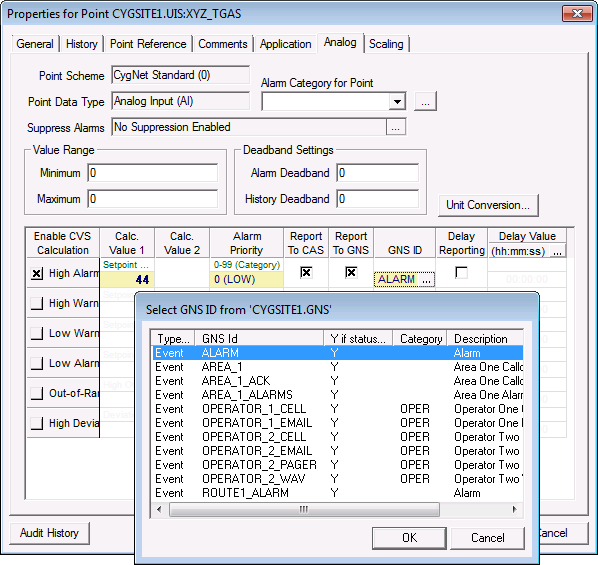
When the alarm is set, the configured notification will be sent. When the alarm is cleared, the configured Clear (return) message will be sent. Notifications are only sent when the alarm is initially set or cleared. For example, if the alarm setpoint is 44 and the value is 45, the notification will be sent. On the next poll if the value is 50, the notification will not be sent again.
To Assign a Notification to an Alarm
- Using CygNet Explorer, view the properties of the point configuration record in the PNT Editor.
- Click on the point type page (Analog, Digital, String, or Enumeration).
- Click Edit and configure the Alarm type and Setpoint.
- Click to enable Report to GNS.
- Click on … in the GNS ID column to associate a GNS ID record with the alarm.
- Select the GNS ID with the appropriate notification to send from the list and click OK to assign the ID.
- Click Save to save the point configuration changes.


